Contactless sleep monitor · Made in India

dozemate Dashboard

dozemate: the night, measured without wearing anything

  • Heart rateBeat to beat, all night.
  • RespirationBreathing patterns.
  • SnoringEpisodes on the timeline.
  • Breathing pausesCounted, flagged for review.
  • Sleep stagesLight, deep and REM.
  • Sleep efficiencyAsleep vs in bed.
  • Bed presenceIn or out of bed, live.
  • InsightsTrends and reports.

A sensor strip lies across the bed, under or over the mattress. Dozemate reads heart rate, breathing, snoring, breathing pauses, sleep stages and bed presence, uploads each night over Wi-Fi, and shows the results in the app and on the dashboard. Basic is free.

A wellness device. Dozemate measures and reports sleep and breathing signals and flags patterns for review; it does not diagnose or treat any condition.

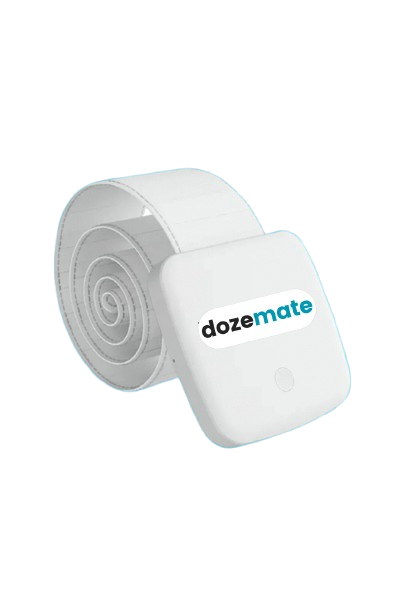
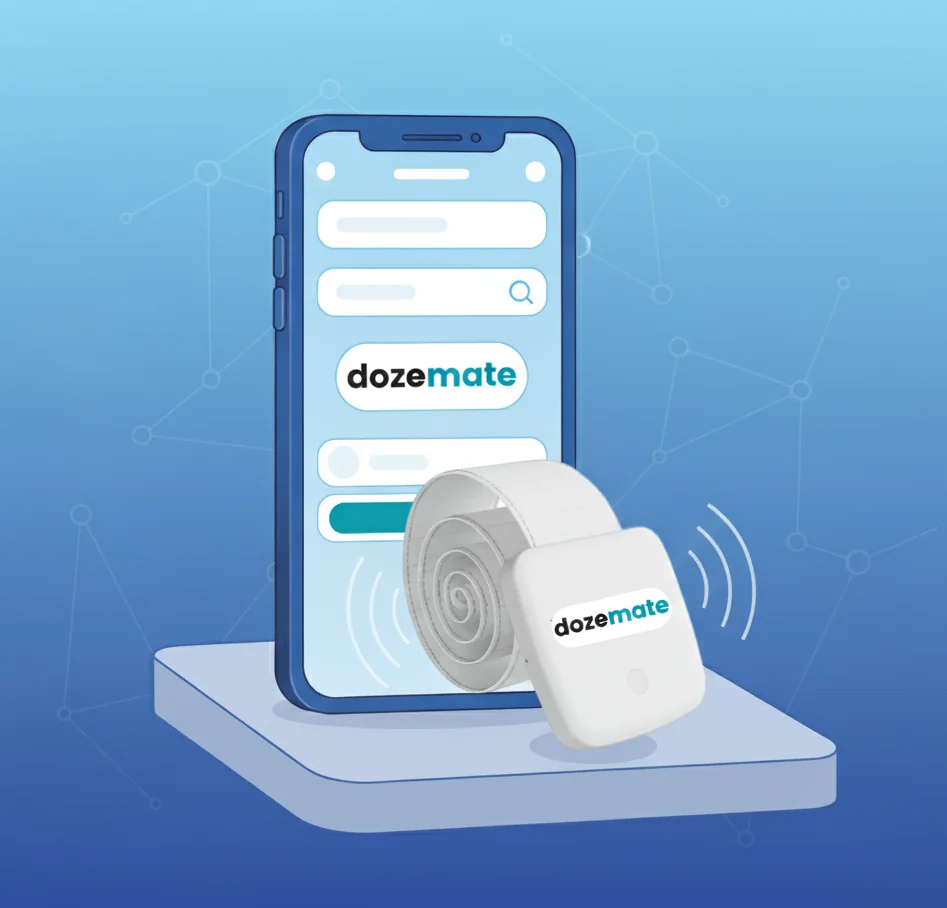
Dozemate module with its sensor stripDozemate device with the app

Monitoring features

Twelve things Dozemate tells you about the night

  • Heart rate

    Continuous beat-to-beat tracking through the night, without anything on the body.

  • Respiration rate

    Breathing pattern monitoring, breath by breath.

  • HRV analysis

    Heart-rate variability as a window on recovery and the autonomic nervous system.

  • Stress monitoring

    Physiological stress indicators derived from heart and breathing signals.

  • Snoring detection

    Snoring episodes on the night timeline, an airway signal worth watching.

  • Breathing-pause detection

    Pauses in breathing are identified and counted per night, flagged for review by a professional.

  • Sleep stage analysis

    Light, deep and REM sleep across the night.

  • Sleep efficiency

    Time asleep versus time in bed, with time to fall asleep and awakenings.

  • Bed presence

    Real-time occupancy: in bed, out of bed, and for how long. Useful for care settings.

  • Historical trends

    Night-over-night patterns, so a change stands out against your own baseline.

  • Long-term reports

    Summaries a clinician or a family member can read at a glance.

  • Pattern insights

    Software flags unusual patterns for review. It does not make a diagnosis.

What you see

The night, in the app

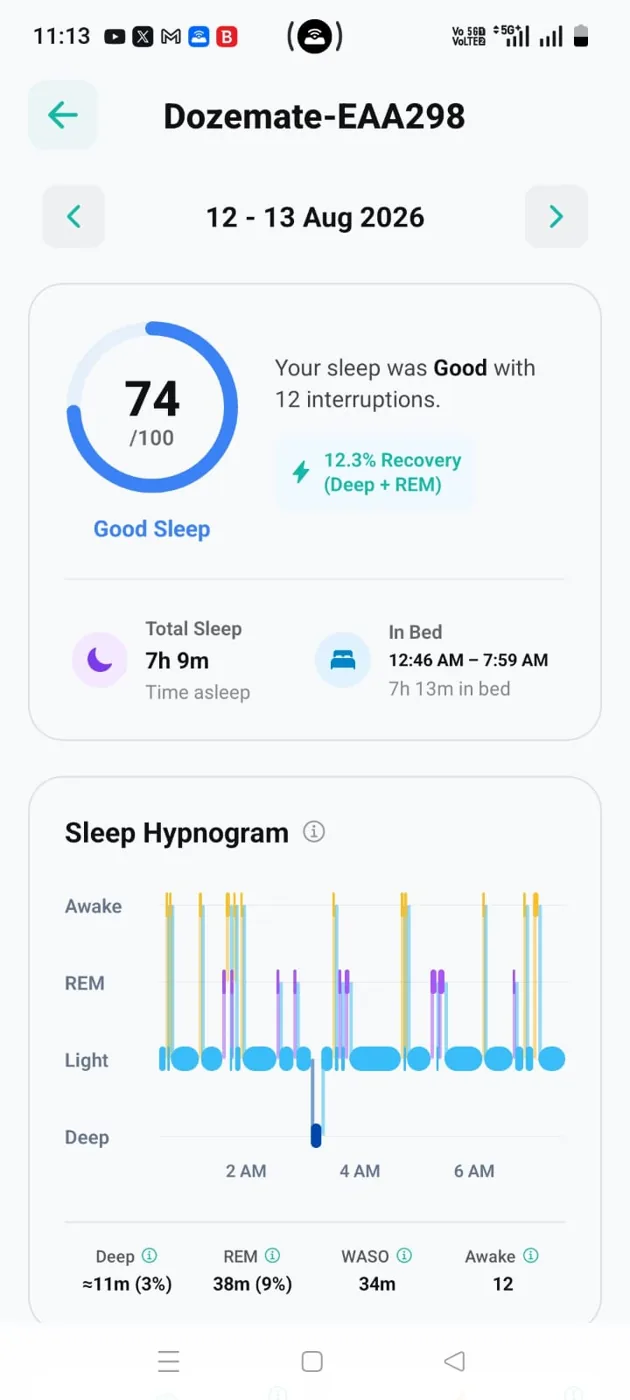
  • Dozemate app night summary with sleep score, total sleep, time in bed and hypnogram

    Night summary and hypnogram

    Sleep score, recovery share, total sleep, time in bed, and the hypnogram of awake, REM, light and deep sleep through the night.

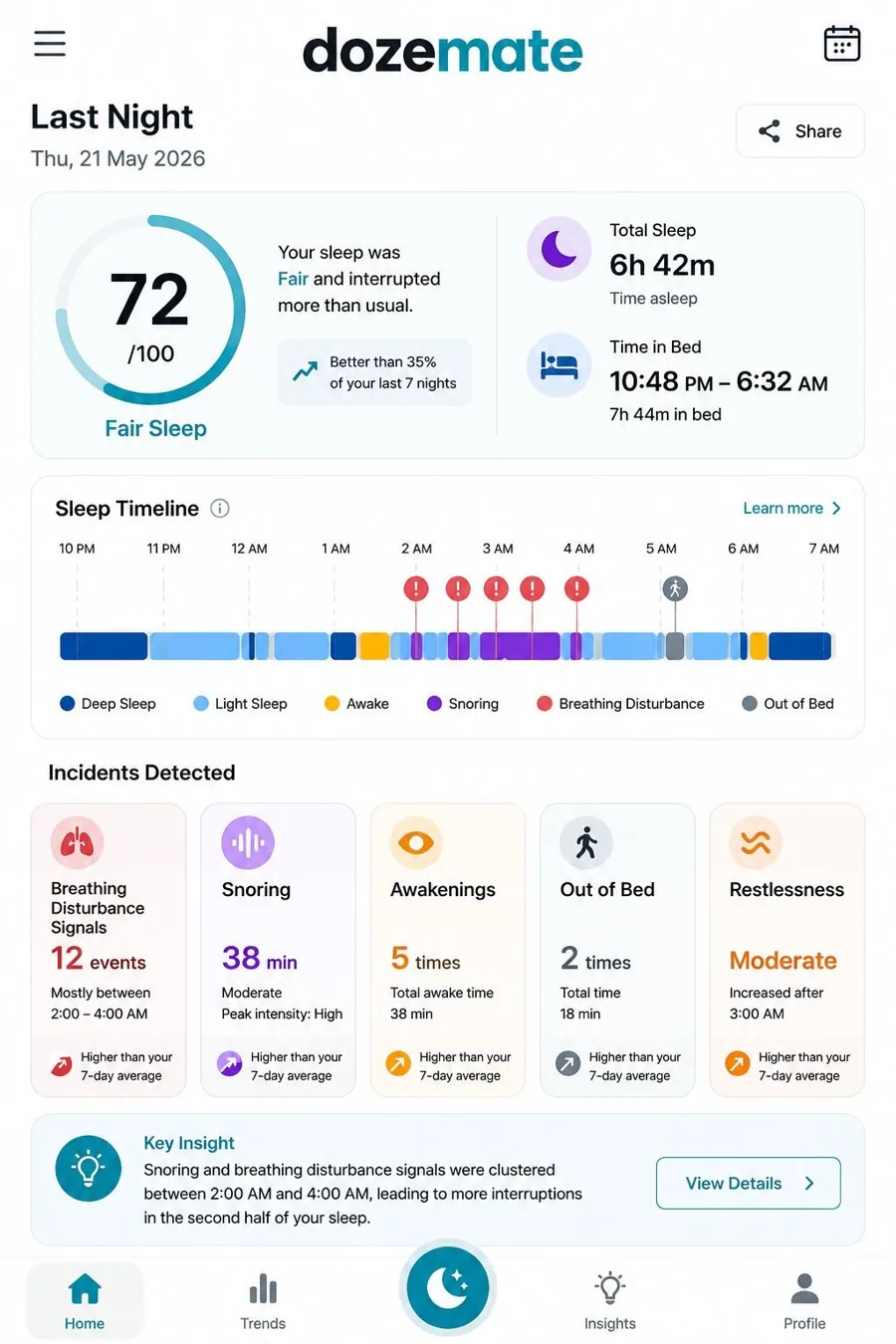
  • Dozemate dashboard with sleep timeline, incidents and key insight

    Last night at a glance

    Sleep timeline with snoring, breathing disturbances and out-of-bed marked, incident counts against your seven-day average, and a key insight.

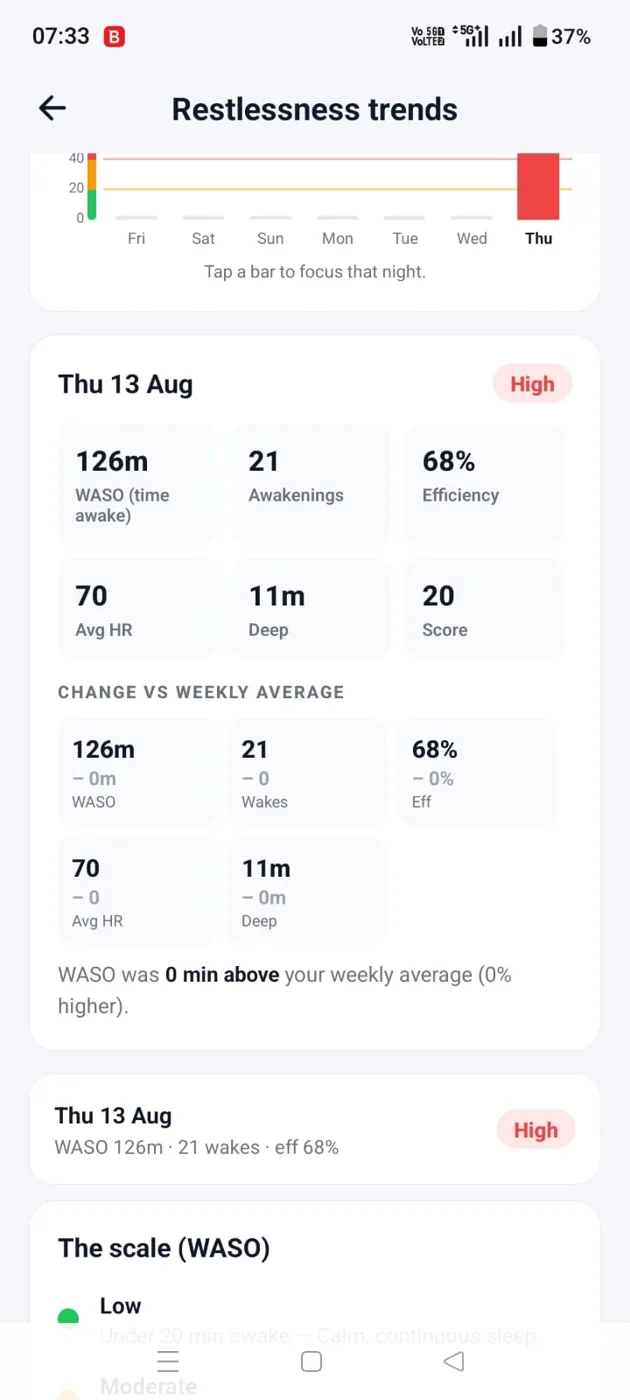
  • Dozemate app restlessness trends over a week

    Restlessness trends

    Time awake after sleep onset, awakenings, efficiency, heart rate and deep sleep, night by night against the weekly average.

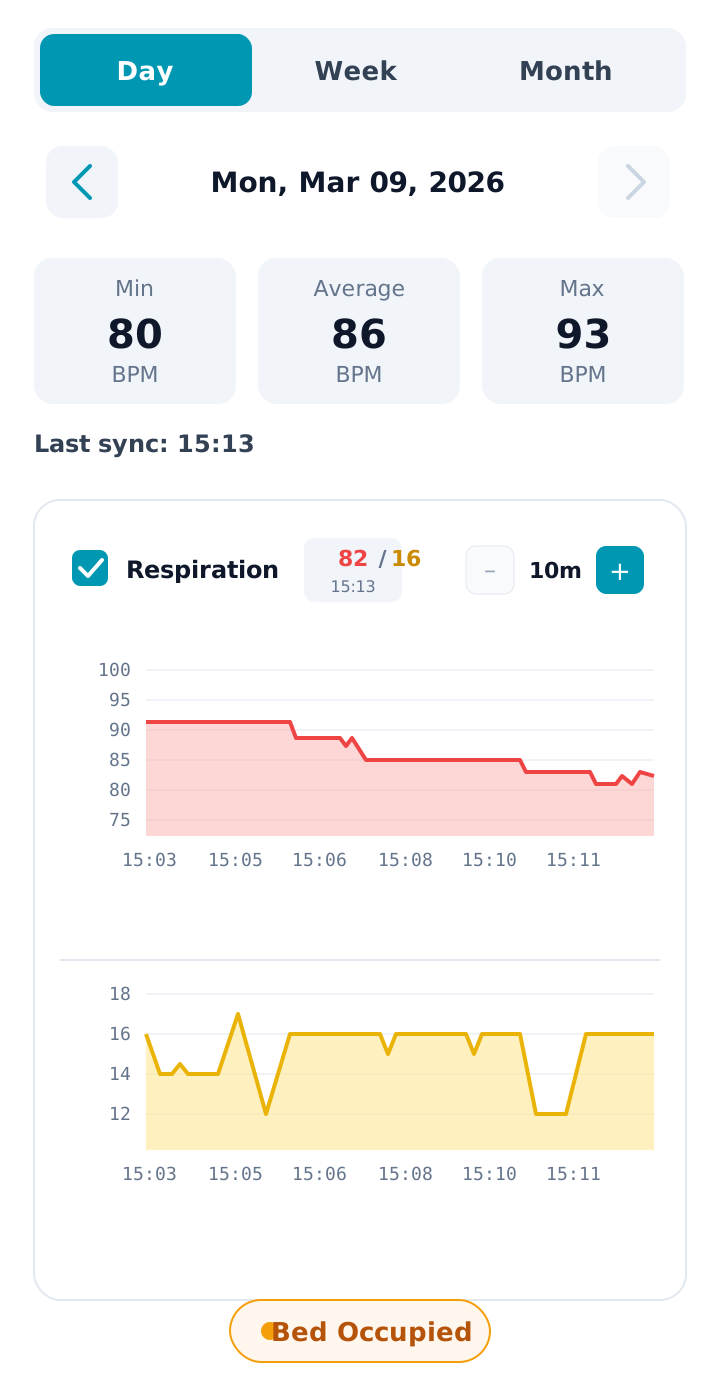
  • Dozemate live heart rate and respiration view with bed occupied status

    Live view for carers

    Heart rate and respiration as they happen, with bed-occupied status, for a family member or a nurse watching from another room.

How to use

Set up in six steps, once

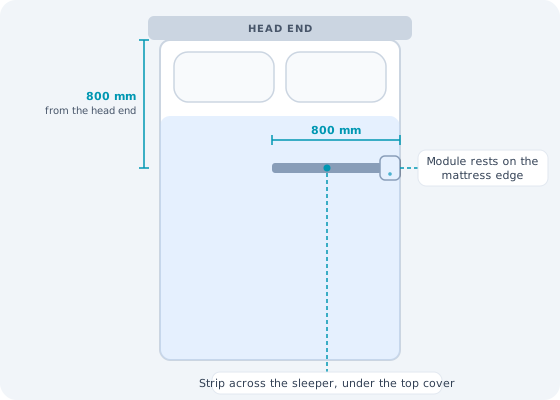
  1. Top view: the 800 mm strip lies across one side of the mattress, 800 mm from the head end, under the top cover; the module rests on the mattress edge
    1

    Place the sensor strip

    Lay the strip across the mattress at chest level, under the top cover or fitted sheet. The module rests on the mattress at the side edge; nothing is worn.

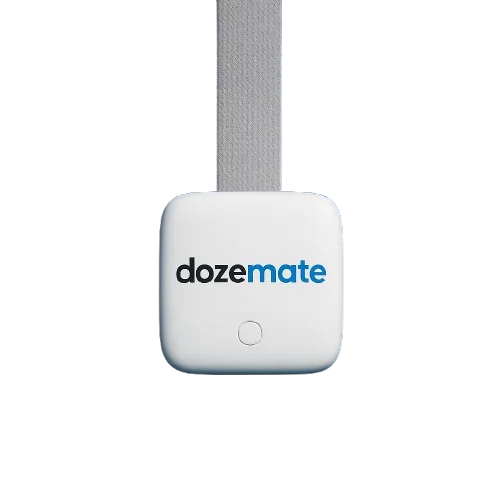
  2. Dozemate module with its strip
    2

    Plug it in

    Connect the module to its charger with the cable and plug the charger into a wall socket. Dozemate runs from the charger, so it never needs charging.

  3. OFFON×2within 5 secondslight blinks
    3

    Start it

    Switch the charger OFF and ON twice within five seconds. The light on the module blinks to show it is awake and ready to pair.

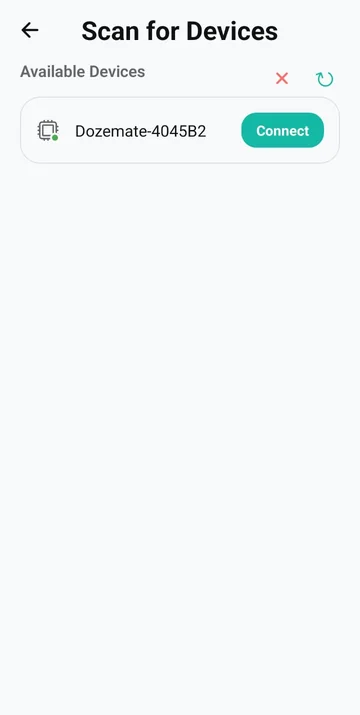
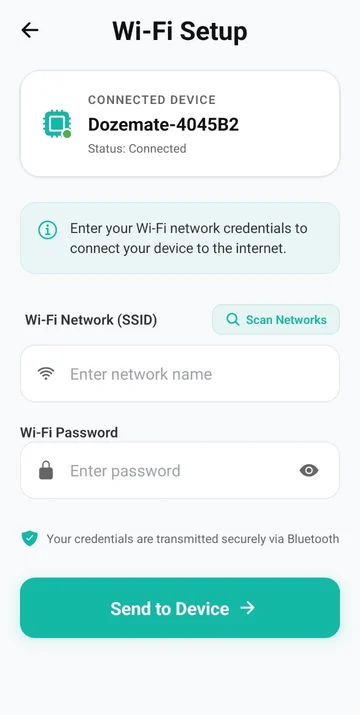
  4. Scan for Devices: your Dozemate listed with a Connect buttonWi-Fi Setup with the device connected, ready for the network details
    4

    Connect in the app

    Open the Dozemate app, sign in, tap Setup Dozemate, then Scan for Devices. Your Dozemate appears in the list; tap Connect. The Wi-Fi Setup screen opens with the device shown as connected.

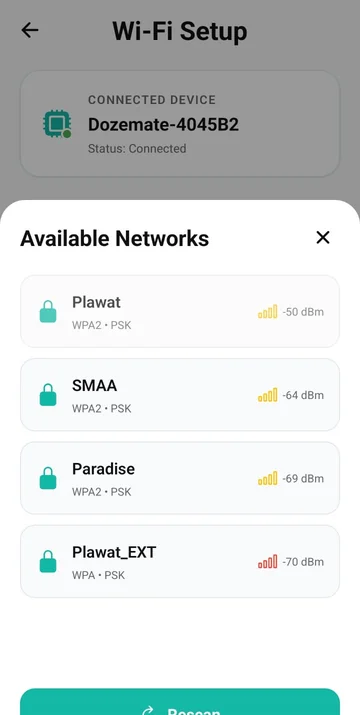
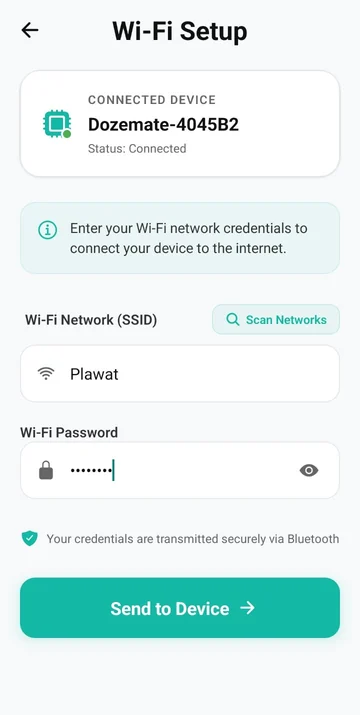
  5. Available networks after tapping Scan NetworksWi-Fi Setup with the network and password filled in, ready to send to the device
    5

    Give it your Wi-Fi

    Tap Scan Networks, choose your home Wi-Fi from the list, enter its password and tap Send to Device. Dozemate uploads each night over Wi-Fi; the phone does not need to stay nearby.

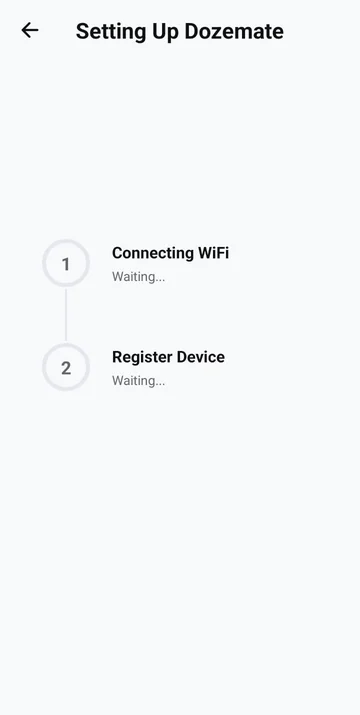
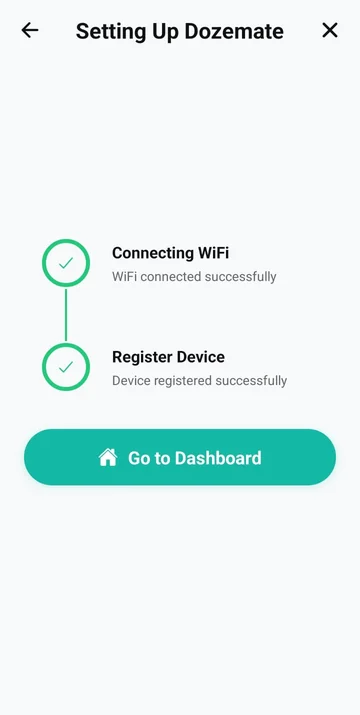
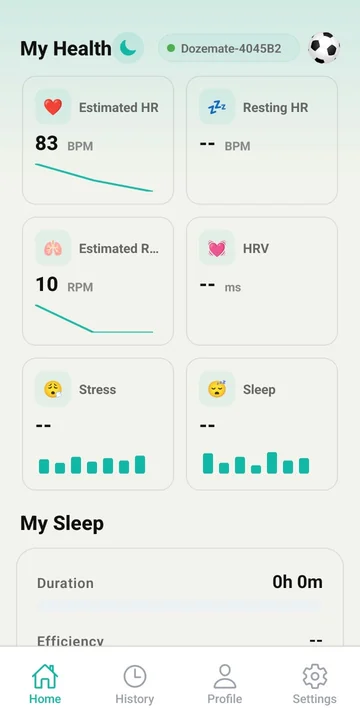
  6. Setting Up Dozemate: connecting Wi-Fi and registering the deviceSetting Up Dozemate: Wi-Fi connected and device registered, Go to DashboardMy Health home screen with live heart rate and breathing
    6

    Done

    Setting Up Dozemate connects the Wi-Fi and registers the device; when both tick, tap Go to Dashboard. My Health shows heart rate and breathing as soon as someone is in bed. Sleep as usual; the first night report is ready in the morning.

App screens are from the Dozemate app for Android. The dashboard is at dozemate.com.

Use cases

At home, for parents far away, and across a ward

Your own nights

Understand why some mornings are better than others: sleep stages, efficiency, breathing and heart rate, night after night, with nothing to wear or charge.

  • Nothing on the body
  • Nightly report in the app
  • Trends against your own baseline

Older parents at home

Bed presence, breathing and heart rate overnight, visible to family in the app, with optional alerts when something is unusual.

  • Bed presence and time out of bed
  • Breathing and snoring patterns
  • Alerts to family

Hospitals and care homes

One dashboard for many beds. Each Dozemate is registered to a room and bed number; staff see occupancy, breathing and heart rate across the ward.

  • Room and bed registration in the app
  • Multi-bed dashboard at dozemate.com
  • Contactless, no consumables

Sleep clinics and coaches

Weeks of home sleep logging instead of one night in a lab, with reports that show breathing pauses, snoring and stage patterns for review.

  • Long-term reports
  • Breathing-pause and snoring counts
  • Data export

Specifications

Nothing to wear, nothing to charge

The strip senses the tiny movements of heartbeat and breathing through the mattress. The module by the bed runs from its charger and sends each night to the cloud over Wi-Fi.

Type
Contactless sleep monitor: sensor strip across the bed under or over the mattress, with a bedside module
Measures
Heart rate, HRV, respiration rate, breathing pauses, snoring, sleep stages, sleep efficiency, bed presence, stress indicators
Power
Mains charger with cable; no battery to charge
Connectivity
Bluetooth for setup, Wi-Fi for nightly upload to the cloud
App
Dozemate app for Android and iOS; caretaker and family sharing
Dashboard
dozemate.com web dashboard for individuals and for multi-bed institutions
Made in
India

Questions

Frequently asked

Is Dozemate a medical device?

Dozemate is a sleep-monitoring wellness device. It measures heart rate, breathing, snoring, breathing pauses, sleep stages and bed presence and flags unusual patterns for review. It does not diagnose sleep apnea or any other condition; see a doctor for medical decisions.

Do I have to wear anything?

No. The sensor strip lies across the bed under or over the mattress. You sleep as usual.

Does it need charging?

No. Dozemate runs from its mains charger. To start it, switch the charger off and on twice within five seconds.

Does the phone have to stay near the bed?

No. The phone is only needed for setup over Bluetooth. Each night's data goes to the cloud over your Wi-Fi and appears in the app and on the dashboard.

Can it watch more than one bed?

Yes. Each Dozemate is registered to a room and bed in the app, and the dozemate.com dashboard shows every bed in one view.

Is there a subscription?

Basic is free. Institutional dashboards are priced by the number of beds.

Get one

Demo, pilot or order

Dozemate is designed and built by SLIMiot Technologies, the team behind Plawat Ring, Plawat Band and Stethopod. Tell us whether it is for one bed or a ward and we will arrange a demonstration, a pilot or an order.

Email: info@slimiot.com

Dashboard: dozemate.com/admin · See also: Plawat Ring

Request a demo or pre-order

Families, care homes, hospitals, sleep clinics and individuals. We reply within two working days.

Phone (optional)

Your details are used only to answer this request. See the privacy policy.

Let's Talk

A device, an app, a dashboard, or all three. Tell us what you are building and we reply within two working days. The first version of your app or web app is free.

Website

www.slimiot.com

Email

info@slimiot.com

Tell us about your project

We’ll review your enquiry and get back to you within 2 business days.

SlimIoT Technologies Private Limited

India

© 2026 slimiot Technologies. All rights reserved.